
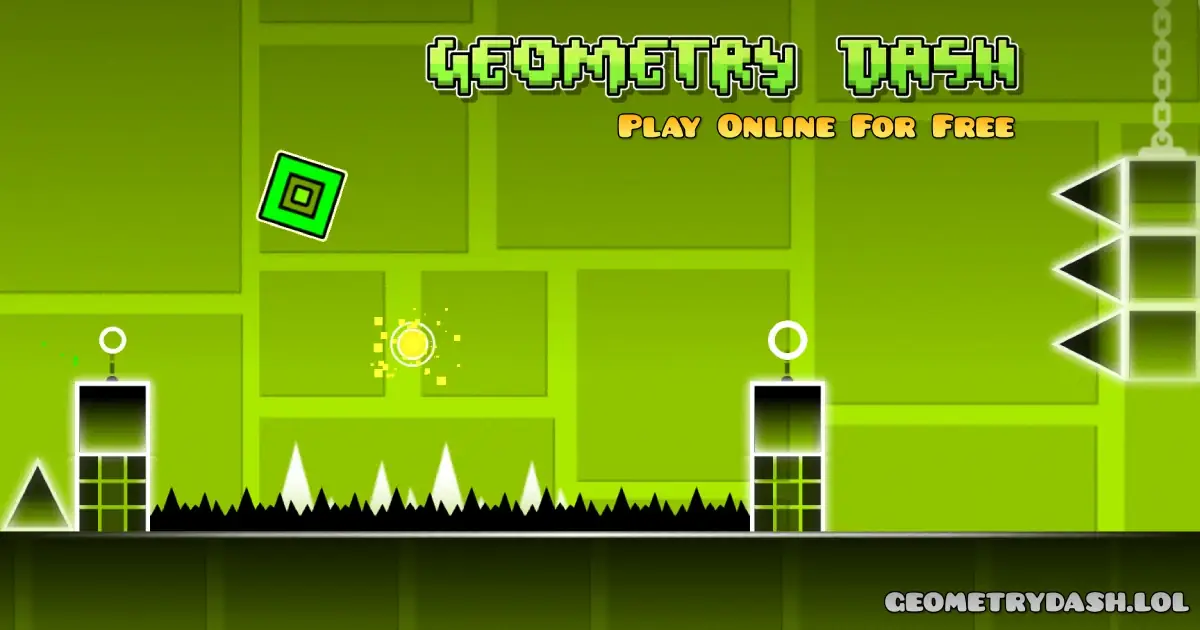
Play Geometry Dash Online for free. Jump into a bright and exciting world full of music, speed, and fun obstacles! Control a little cube as it jumps, flies, and flips through challenging levels.
Every stage is packed with surprises, catchy beats, and tricky paths that make the game super fun for kids. With endless user-made levels and colorful challenges, Geo Dash keeps players entertained for hours.
Test your reflexes, follow the rhythm, and see how far you can go!
What is Geometry Dash?
Geometry Dash is a fun and popular rhythm-based platformer created by Swedish developer RobTop Games. It was first released on August 13, 2013, for mobile devices and later became available on PC and browser.
Players control a small cube that jumps, flies, and flips through exciting levels filled with colorful obstacles and catchy music. The game is known for its simple one-touch controls, bright graphics, and also lets players create and share their own levels.
Geometry Dash Gameplay Mechanics
Geometry Dash is an exciting rhythm-based game where players control a small cube that moves forward automatically. The main goal is to jump, fly, and flip at the right moments to avoid spikes, walls, and other obstacles.
Players tap or click to jump, hold to glide with rockets, and use jump pads to reach higher areas. Each level follows the beat of the music, making timing very important.
Portals can change the cube's gravity or speed, adding new challenges. With colorful visuals, fun music, and fast-paced action, players need focus and quick reflexes to complete each level and enjoy the game to the fullest.
History of Geometry Dash
- The game is a fast and fun platform game made by RobTop Games, created by Swedish developer Robert Topala.
- Players control a jumping cube, avoiding obstacles to reach the end of each level.
- The game was first released in 2013 and quickly became popular worldwide.
- Over the years, several versions have been released, including:
- 2014: Geometry Dash Lite, a free version with fewer levels.
- 2015: Geometry Dash Meltdown, offering three easy and fun levels.
- 2016: Geometry Dash World, featuring ten colorful and fast-paced levels.
- 2017: Geometry Dash SubZero, with new music and exciting challenges.
Platform
You can play this game directly in your web browser on any device. It works on computers, laptops, tablets, and phones.
How to Play Geometry Dash?
To start the game, tap the play icon and pick a level from the list. The levels go from easy to hard, so new players can begin with the first one to learn how everything works. Your goal is simple: follow the rhythm, avoid every obstacle, and make it to the finish line without crashing.
As you move through the level, the game adds new tricks to make things more exciting. You will see jump pads that launch you forward, gravity portals that flip your world upside down, and jump rings that give you an extra boost when you tap at the right moment. The colors, shapes, and music help you understand what is coming next, so stay alert.
While playing, your character can change into different forms, each with its own style of movement:
- Cube: jumps over obstacles while keeping the beat.
- Ship: flies smoothly up and down through the air.
- Ball: rolls and flips gravity with every tap.
- UFO: makes small hop-like jumps each time you press.
- Wave: zips in a fast zigzag motion you must control.
- Robot: jumps higher the longer you hold the button.
- Spider: teleports quickly from floor to ceiling with each tap.
Each level also hides special coins that you can collect by exploring side paths or finding secret spots. You can play in two helpful modes that make the game easier to learn:
- Normal Mode: Complete the whole level in one run to finish it.
- Practice Mode: Place checkpoints so you can retry tricky parts safely.
Stay focused, follow the music, and learn the patterns. With practice, every challenge becomes easier and a lot more fun!
Geometry Dash Rules
- Guide your character safely to the end of each level without hitting spikes, saw blades, or other obstacles.
- If your character touches an obstacle, the level restarts, so timing your jumps is very important.
- Your character can change forms, like becoming a flying ship or a rolling ball when passing through special portals.
- Portals can also change the background and environment, adding new challenges to every level.
- Following these simple rules will make your gameplay more fun and enjoyable.
Controls
- Jump: Press space, W, up arrow, Ctrl, or click the mouse.
- Pause: Press P to pause the game.
- Effects: Press L to turn visual effects on or off.
- Restart: Click the green flag to start over.
Helpful Tips and Tricks for Geometry Dash
- Start with the main levels: They teach you new mechanics slowly, making them the perfect place to begin before trying harder user-made levels.
- Use Practice Mode often: Checkpoints help you learn each part of the level without starting over. This makes it easier to remember tricky sections.
- Follow the rhythm: Many jumps match the beat of the music. Listening closely helps you predict when obstacles will appear.
- Avoid secret coins at first: These coins are usually hidden in difficult spots. Finish the level first, then return for the coins when you know the path well.
- Choose the right difficulty: If a level feels too hard, switch to an easier one and come back later. Improving takes time, so be patient with yourself.
- Focus on one level at a time: Trying to beat many levels at once can be confusing. Stick to one or two until you master them.
- Lower the music if it distracts you: The songs are catchy, but the beat can sometimes throw off your timing. Turning the volume down may help you focus.
- Take breaks when needed: If you start feeling frustrated, pause for a moment. A calm mind reacts faster and plays better.
Top Features That Make Geometry Dash Fun
- Rhythm-Based Gameplay: Jump and flip along with the music in each level.
- Different Forms: Play as a cube, ship, ball, UFO, wave, or robot, each moving in a unique way.
- Bright Graphics: Colorful shapes and animations change with the beat.
- Custom Icons and Colors: Unlock new styles to make your character unique.
- Lots of Levels: Enjoy official levels and explore millions of user-made ones.
- Level Editor: Create and share your own levels with custom obstacles and music.
- Practice Mode: Place checkpoints to master tricky parts before completing the full level.
- Collectibles and Rewards: Gather stars, secret coins, and achievements to unlock more icons and colors.
- Varied Difficulty: Levels range from easy to very hard for beginners and experts.
Main Levels and Challenges in Geometry Dash
The game includes 21 official main levels, each with unique music and exciting challenges. You control your cube, jumping and flying through obstacles to reach the finish line. Here are the main levels:
- Stereo Madness
- Back on Track
- Polargeist
- Dry Out
- Base After Base
- Can't Let Go
- Jumper
- Time Machine
- Cycles
- xStep
- Clutterfunk
- Theory of Everything
- Electroman Adventures
- Clubstep
- Electrodynamix
- Hexagon Force
- Blast Processing
- Theory of Everything 2
- Geometrical Dominator
- Deadlocked
- Fingerdash
Difficulty Ratings
Every level has a difficulty rating to help you choose the right challenge. Some user-made levels include extra categories like Demon. Official difficulty ratings are:
- Auto: 1 star – very easy, plays itself
- Easy: 2 stars – perfect for beginners
- Normal: 3 stars – slightly harder
- Hard: 4–5 stars – needs skill and focus
- Harder: 6–7 stars – more challenging
- Insane: 8–9 stars – very tough, requires practice
- Demon: 10+ stars – the hardest levels in the game
These ratings help you pick a level that suits your skills, making the game fun and exciting without too much frustration.
Demon Subcategories
- Easy Demon
- Medium Demon
- Hard Demon
- Insane Demon
- Extreme Demon (reserved for the truly daring)
Hardest Geometry Dash Level
Tidal Wave is one of the most difficult levels in Geometry Dash. Players often spend weeks practicing and retrying before they can finish it. This level is a real challenge for timing, jumps, and focus, making it perfect for those who love testing their skills.
The Music of Geometry Dash
Geometry Dash has lots of fun and catchy songs that make each level feel exciting. Every stage uses its own track, and the beat helps you time your jumps and avoid obstacles. The music also gives every level a special mood, from calm tunes to fast and intense rhythms.
Here are some of the popular songs you’ll hear in the game:
- Stereo Madness
- Back on Track
- Polargeist
- Dry Out
- Base After Base
- Can't Let Go
- Jumper
- Time Machine
- Cycles
- xStep
- Clutterfunk
- Theory of Everything
- Electroman Adventures
- Clubstep
- Electrodynamix
- Hexagon Force
- Blast Processing
- Theory of Everything 2
- Geometrical Dominator
- Deadlocked
- Fingerdash
Geometry Dash Demon List
The Game has some of the toughest and most exciting levels, called Demon levels. Here are 10 of the most famous ones that players love:
- Bloodbath
- Sonic Wave
- Cataclysm
- Yatagarasu
- Slaughterhouse
- Acropolis
- Deimos
- Phobos
- Crimson Planet
- Necropolis
These are just some of the hardest levels. Many more Demon levels are waiting for players who want an extra challenge!
Geometry Dash Icon Transformations Guide
Your icon can change into many different forms. Each form moves in a unique way, and portals let you switch between them. Learning how each one works makes gameplay easier and more fun.
| Icon | Portal | What It Does |
|---|---|---|
| Ship | Ship Portal | Flies up when you hold the button and down when you release. |
| Ball | Ball Portal | Flips gravity every time you tap. |
| UFO | UFO Portal | Jumps in the air with each tap. |
| Wave | Wave Portal | Moves in sharp zigzag lines depending on holding or tapping. |
| Robot | Robot Portal | Jumps higher or lower based on how long you hold. |
| Spider | Spider Portal | Teleports between floor and ceiling when you tap. |
| Swing | Swing Portal | Switches direction with each tap and moves smoothly in the air. |
These transformations make each level feel different and teach you new ways to play.
Geometry Dash Difficulty Faces
Every level shows a special “difficulty face” to tell you how challenging it will be:
- Auto: Level finishes automatically, easiest.
- Easy: Happy face, simple and good for beginners.
- Normal: A bit harder but still manageable.
- Hard / Harder: Serious faces, need more skill.
- Insane: Bold face, very tough and needs practice.
- Demon (Easy to Extreme): Scary faces, hardest levels in the game.
- N/A: Level not rated yet.
Geometry Dash Secret Vault
The Secret Vault in Geometry Dash is a hidden spot full of surprises and rewards. To enter, you need to collect 50 diamonds and type a special code in the creator menu. Inside, you'll meet a funny character called the Keymaster, also known as Glubfub, who gives secret codes to try!
Using these codes, you can unlock exciting items like:
- Special Icons: Customize your character with unique looks.
- Hidden Coins: Find secret coins to get more rewards.
- Achievements: Complete challenges and earn fun badges.
Some codes have extra steps. For example, to use the code glubfub, you first enter sparky in the Vault. Then keep clicking on the Keymaster until he mentions Sparky. After that, a secret coin will appear!
The Secret Vault makes the game even more fun. Keep exploring and trying codes to discover all its hidden treasures!
Hooda Math Geometry Dash
Many fans used to play Geometry Dash on Hooda Math. Now, you can enjoy the best version of the game on our website without any annoying ads.
Plus, all other fun Geometry games are available here in one place!
Geometry Dash Full Version Game
The version of the game on our website is the full version, including all the exciting levels. You can enjoy every stage, unlock fun icons, and play the complete game just like the original.
How To Download Geometry Dash?
Many fans love to download the game to enjoy smoother gameplay and a better experience than playing in a browser. Here’s how you can get the game on your device:
- Android devices: Open the Google Play Store and just tap the Install button to download the game instantly.
- Apple devices (iPhone or iPad): Open the Apple App Store and simply tap Install to get the game on your device immediately.
Geometry Dash APK
If your Android device does not support Google Play, you can download the APK file from a trusted source. This allows you to install the game directly without the Play Store.
Download Geometry Dash For Pc
Download Geometry Dash for free from Steam to enjoy the full game on your computer with smooth controls.
Geometry Dash Extension
Many fans enjoy playing Geometry Dash right in their browser using a Google Chrome extension. It lets you start instantly, play offline, and enjoy the game anytime. Download here to download and begin your adventure!
How Can I Play Geometry Dash Unblocked?
You can easily play Geometry Dash unblocked on our website geometrydash.lol. Whether you're at school, at work, or just on a break, you can enjoy the game without any restrictions and have fun anytime!
Geometry Dash Unblocked 76
Play Geometry Dash on our website without worrying about searching for unblocked at school, unblocked 66, or unblocked scratch. The version available here works on all networks and devices, completely free.
Scratch Geometry Dash
Scratch allows you to customize your favorite game, including Geometry Dash v1.5. You can change how characters look, redesign levels, and add new tools or missions to make the game even more fun.
With Scratch, you can create your own version of Geo Dash and enjoy endless possibilities while playing!
The Main Differences Between Geometry Dash Lite vs Full Version
If you are not sure whether to keep playing Geometry Dash Lite or move to the full version, here is a simple and clear comparison to help you choose.
| Feature | Lite | Full |
|---|---|---|
| Price | Free | One-time purchase |
| Number of Levels | 16 (Clubstep last) | 22+ (Deadlocked & Fingerdash) |
| Level Editor | Not available | Full editor + community |
| User-Created Content | No | Millions of levels |
| Customization | Limited icons/colors | Many icons, trails & effects |
| Secret Coins & Unlocks | Official only | Official + user coins |
| Difficulty Levels | Limited demon | Full range |
| Progress Sync | Local only | Cloud + multi-device |
Community Reviews
Players enjoy Geometry Dash for its fun and colorful gameplay. Levels can be tricky at times, but practice mode helps you get better. The music and bright graphics make every jump more exciting and enjoyable.
Pros and Cons
| Pros | Cons |
|---|---|
| Completely free to play. | Limited number of levels in this version. |
| Gameplay is simple and fun. | Ads may appear while playing. |
| Controls are easy and precise. | Full game needed for more levels and extra features. |
| Music is fun and adds excitement to the game. | |
| Great way to practice before trying the full version. |
Game Details
Release Date:
The game was first released on August 13, 2013.
Technology:
The game runs on HTML5, making it playable directly in your browser.
Developer:
RobTop Games created Geometry Dash for mobile devices, and later it was adapted for computers.
Scratch Version:
There's also a Scratch version made by Griffpatch for fun custom gameplay.
System Requirements
- Web Browser: Chrome, Firefox, Edge, or Safari.
- Computer: Desktop or laptop.
- Internet: Connection to play online.
- Mouse or Keyboard: To control your cube.
Important Information
- Game Type: Platformer – jump, fly, and dodge obstacles!
- PEGI Rating: PEGI 3 – safe for all kids.
- Players: Single player – play at your own pace.
- Level Length: Levels last about 1 minute 30 seconds to 2 minutes each.
Similar Games to Geometry Dash
If you’re a fan of Geometry Games, you’ll definitely enjoy these too:
- Geometry Dash Meltdown
- Geometry Dash World
- Geometry Dash SubZero
- Geometry Dash Spam
- Geometry Dash Breeze
- Geometry Dash Wave
- Geometry Dash 2.2
- Geometry Dash Spam Test
- Geometry Dash Arrow
FAQs
What is Geometry Dash?
Geometry Dash is a fast jumping game where you move through music-filled levels and avoid spikes and obstacles.
When Did Geometry Dash Come Out?
The game was released in 2013, which makes it more than 10 years old.
Is Geometry Dash free?
The full game is paid, but free online browser versions are available on our website.
Can I play Geometry Dash without downloading it?
Yes! You can play Geometry Dash directly in your browser on our website geometrydash.lol without downloading anything.
How many levels are in Geometry Dash?
The full game includes 21 official levels, plus thousands of extra levels made by players.
Who created Geometry Dash?
The game was created by RobTop, whose real name is Robert Topala.
What is the hardest level in Geometry Dash?
Many players consider “Tartarus” one of the hardest user-made levels because it requires perfect timing.
What is the hardest official level in Geometry Dash?
Deadlocked is known as the hardest official level because of its fast and tricky obstacles.
What is the easiest demon in Geometry Dash?
“The Hell World” is often called the easiest demon level because it is slower and simpler for beginners.
How do I beat difficult levels in Geometry Dash?
Use Practice Mode to learn the level and repeat tough parts until you remember the timing easily.
Does Geometry Dash save your progress?
Browser versions do not save progress, so you restart the level each time you close the game.
Why can’t I open Geometry Dash or it keeps crashing?
Refresh the page, restart your browser, or try a different browser to fix most crash issues.
How do I unlock the secret vault?
Collect keys and secret coins, then enter special codes to open the vault.
How to get demon keys in Geometry Dash?
You earn demon keys by collecting mana orbs and opening daily chests and rewards.
How many mana orbs do I need for one demon key?
You usually need 500 mana orbs to earn one demon key.
How do I unlock more icons, colors and trails?
You unlock them by finishing levels, collecting stars and coins, and completing achievements.
How to get better at Geometry Dash?
Start with easy levels, use Practice Mode, and repeat tricky parts until your timing improves.
Is Geometry Dash a rhythm game?
Yes, Geo Dash follows the beat of the music, which helps you time your jumps.
Is Geometry Dash appropriate for 7 year olds?
Yes, it is safe for kids because it has no violence and focuses on jumping and music.
When is Geometry Dash 2.21 coming out?
There is no official release date; the update will launch when the developer finishes it.
Who is RubRub in Geometry Dash?
RubRub is the nickname used by RobTop, the creator of the game.
Who is the best Geometry Dash player?
Players like Trick, Dorami, and SpaceUK are often considered among the best.
what is the hardest level in geometry dash 2025
Community lists often rank levels like “Acheron” and “Tartarus” among the hardest, depending on updates and player votes.
Conclusion
Geometry Dash is a fast and colorful rhythm game that is easy to understand and fun for all players. Each level offers quick jumps, bright effects, and music that keeps you focused.
The game includes different modes, icons to unlock, and stages that improve your timing and skills. It stays exciting whether you are a beginner or already experienced.
If you are ready to jump, fly, and dash to the beat, start playing now.
-
AAlex Johnson just nowThis Geometry Dash version runs insanely smooth! I love playing it during breaks no lag no downloads just pure fun. 🔥
-
SSarah Kim just nowI grew up playing Geometry Dash and this site brings back all the nostalgia. the levels, music, and colors are perfect. Love it! 💛
-
MMichael Turner just nowOne of the best places to play Geometry Dash online. Fast loading clean layout and works even on school WiFi 😂 Amazing job!