











Play FNaF 1 online for free! Spend the night inside Freddy Fazbear's Pizza, watch the security cameras, and keep four wandering animatronics away from your office. Your shift starts at 12 AM and ends at 6 AM.
You cannot walk through the building. Instead, you must check the cameras, use the hallway lights, and close the left or right security door when danger comes close. Every action uses electricity, so leaving both doors closed is not a safe long-term plan.
Can you manage the power and survive until morning? Start FNaF 1 and try your first night!
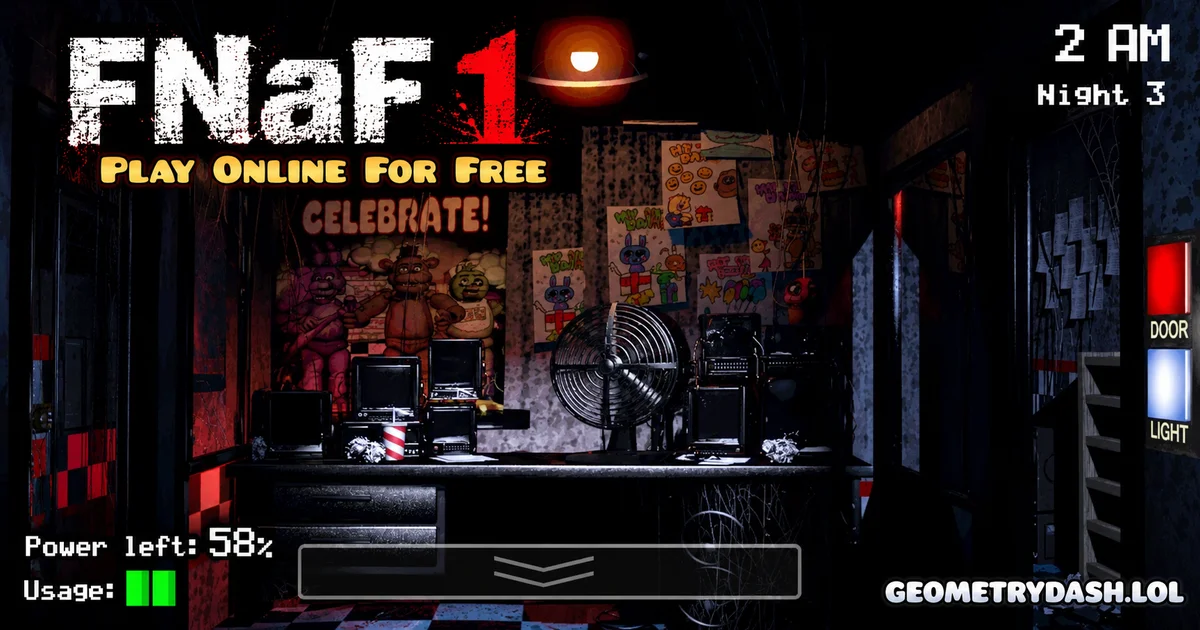
What is FNaF 1?
FNaF 1, short for Five Nights at Freddy's, is the first game in the survival-horror series created by Scott Cawthon in 2014. You play as a night security guard inside a family pizza restaurant. The animal-shaped robots perform during the day but wander around the building after closing time.
The game is not about fighting the robots or running away. You stay in one office and use information from the camera system to decide when to protect yourself. A wrong decision can lead to a sudden jumpscare and end the night.
Gameplay of FNaF 1
Your main challenge is to watch where the animatronics go without wasting the building's limited power. Open the security monitor to view different rooms, then return to the office to check the doorways. The lights help you spot someone standing close to an entrance.
Each animatronic behaves differently. Bonnie usually approaches from the left, while Chica comes from the right. Foxy waits in Pirate Cove and can rush toward the left office door. Freddy becomes especially dangerous as the nights get harder, often approaching from the right side. Watching their locations helps you decide which door actually needs to be closed.
Platform
You can play this game directly in your web browser on any device. It works on computers, laptops, tablets, and phones.
How to Play FNaF 1?
- Start a night: Begin in the security office at 12 AM and aim to stay safe until 6 AM.
- Check the cameras: Open the monitor and look for animatronics that have left their usual rooms.
- Inspect the doors: Switch on the left or right hallway light briefly to see whether a robot is at the entrance.
- Block an attack: Close the correct security door when an animatronic is about to enter. Open it again when the doorway is safe.
- Save electricity: Keep an eye on the power percentage. Once it reaches zero, the doors and lights stop working.
Controls
- Mouse: Click the camera monitor, room selections, door switches, and light switches in the original PC-style interface.
- Touchscreen: Tap the camera, lights, and door controls on the screen.
- Important: FNaF 1 does not use free movement controls such as WASD to walk around the restaurant.
Tips and Tricks for FNaF 1
- Do not keep the doors shut: Closing them when nobody is nearby drains valuable electricity.
- Use short light checks: A quick look at each doorway is usually more useful than leaving a light on.
- Remember Pirate Cove: Check Foxy's position regularly, especially on later nights.
- Learn the approach routes: Bonnie and Foxy threaten the left entrance, while Chica and Freddy usually threaten the right.
- Check the clock and power together: Having little electricity at 1 AM is much more dangerous than having the same amount near 6 AM.
- Listen for clues: Footsteps and other sounds can help you notice movement without staring at every camera.
How Do Power and Security Doors Work?
The office has one shared electricity supply. Using cameras, hallway lights, or closed doors increases power consumption. You therefore have to choose between staying protected now and saving enough electricity to finish the night.
If the power runs out before 6 AM, the office loses its defenses and Freddy can end the run. Good play is about closing a door only when it prevents an immediate threat, not treating it as a permanent wall.
Features of FNaF 1
- One security office with two doors and hallway lights.
- Security cameras that show different rooms of the restaurant.
- Four main animatronics: Freddy, Bonnie, Chica, and Foxy.
- A limited power supply that makes every action matter.
- Five main nights that become more demanding as you progress.
- Suspense, sound cues, and sudden jumpscares.
FNaF 1 Online
The browser edition is designed to let you play from a web page without installing the original PC game. Before starting, make sure the game window has loaded and click inside it if the controls do not respond immediately.
Can You Play FNaF 1 for Free?
You can play the browser edition offered on this page for free. The official original release is a separate game and may be sold on other platforms.
Similar Games
If you’re a fan of Horror Games, you’ll definitely enjoy these too:
- Granny
- Geometry Dash Horror
- Halloween Geometry Dash
- Geometry Dash Monster
- Geometry Dash Bloodbath
- Geometry Dash Hardcore
- Geometry Dash Nemesis
- Geometry Dash Badland
- Geometry Dash Kenos
- Geometry Dash Grief
- Geometry Dash Deadlocked
- Among Us
- Subway Surfers
- Geometry Dash
- Geometry Dash World
FAQs About FNaF 1
What is the goal in FNaF 1?
Stay alive from 12 AM until 6 AM by watching the animatronics and protecting the office.
Can you leave the security office?
No. The main game takes place in one office with cameras, lights, and doors.
Which door does Foxy attack?
Foxy runs toward the left office door after leaving Pirate Cove.
Why should I save power?
The cameras, lights, and doors rely on limited electricity. Losing power removes your defenses.
How many main nights are there?
There are five main nights. The original game also has unlockable extra challenges.
Does FNaF 1 have jumpscares?
Yes. It is a horror game with sudden frightening scenes, so it may not suit younger children.
Conclusion
FNaF 1 is a test of observation and resource management. Learn each animatronic's route, check the correct doorway, and use as little power as possible to survive until 6 AM.